Logo Typing 365
Native Windows App
Free
We're about to hit 1,000,000 races. watch it live

Type at the
Speed of Thought

Typing 365 is the first high-performance, native Windows typing application designed to help you master speed and accuracy through zero-latency practice, advanced analytics, and competitive global leaderboards.

Microsoft Store Watch Live Counter
★★★★★ 4.9/5 Average Rating
30K+ Downloads
25K+ Active Users
1M+ Tests
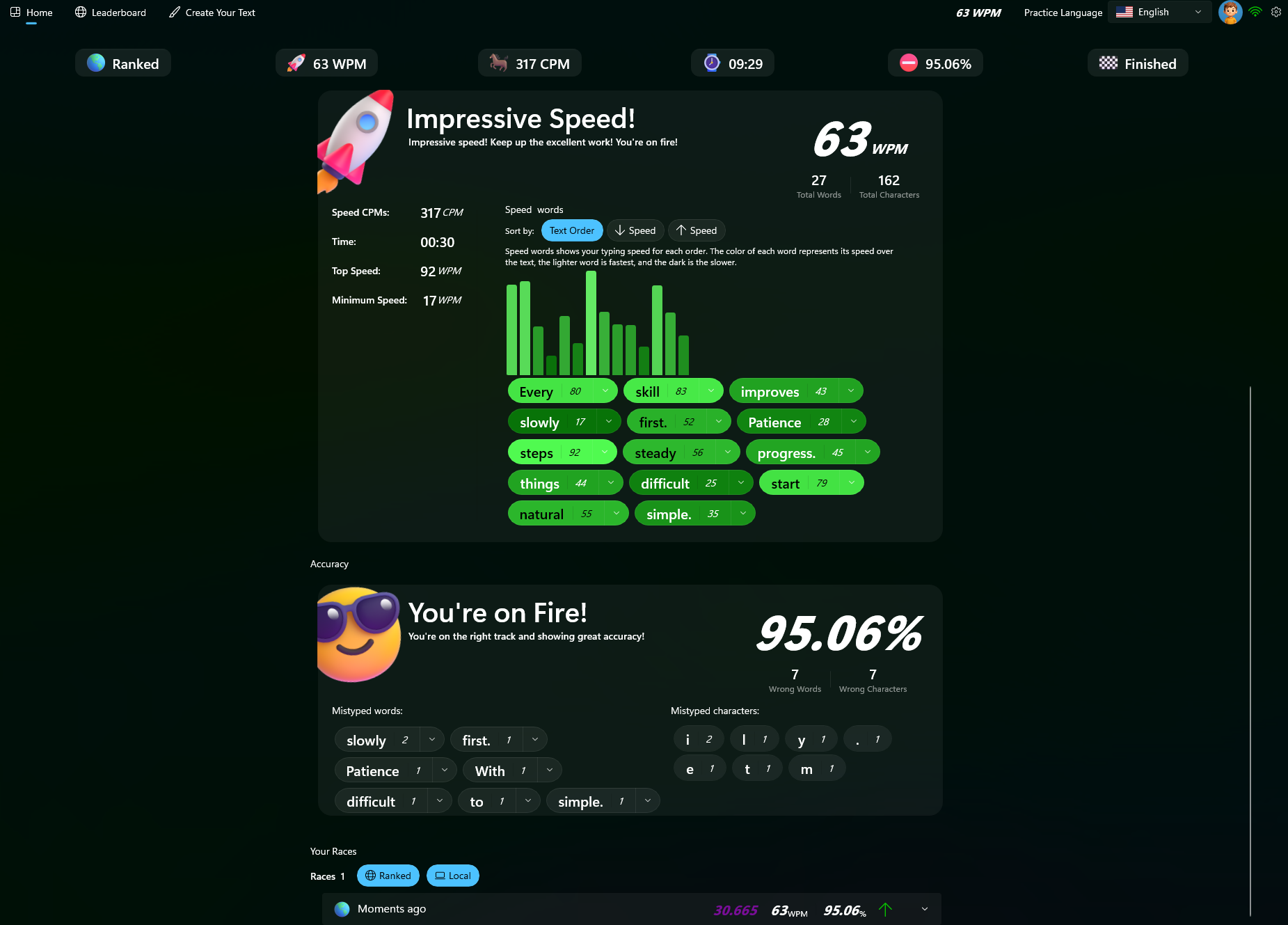
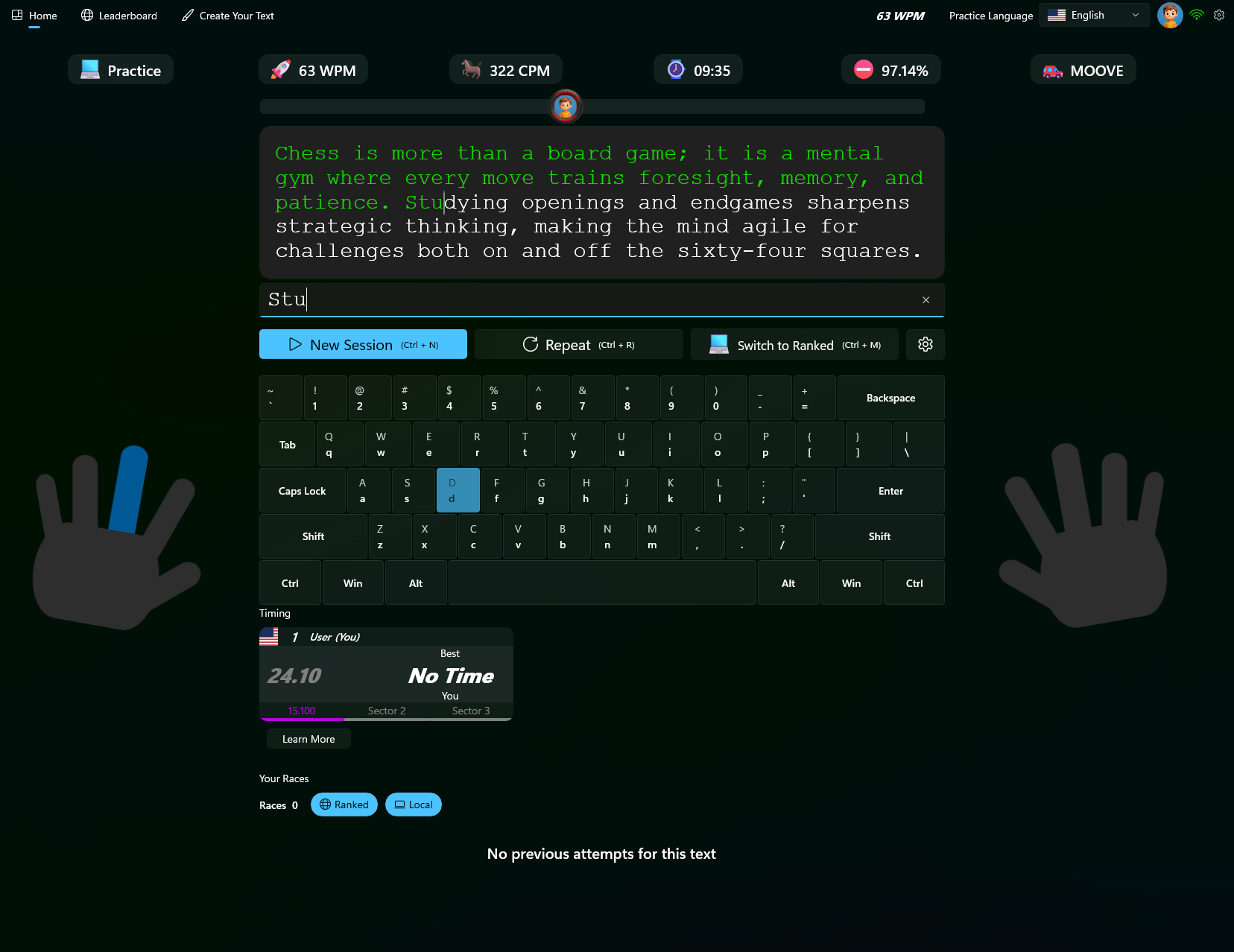
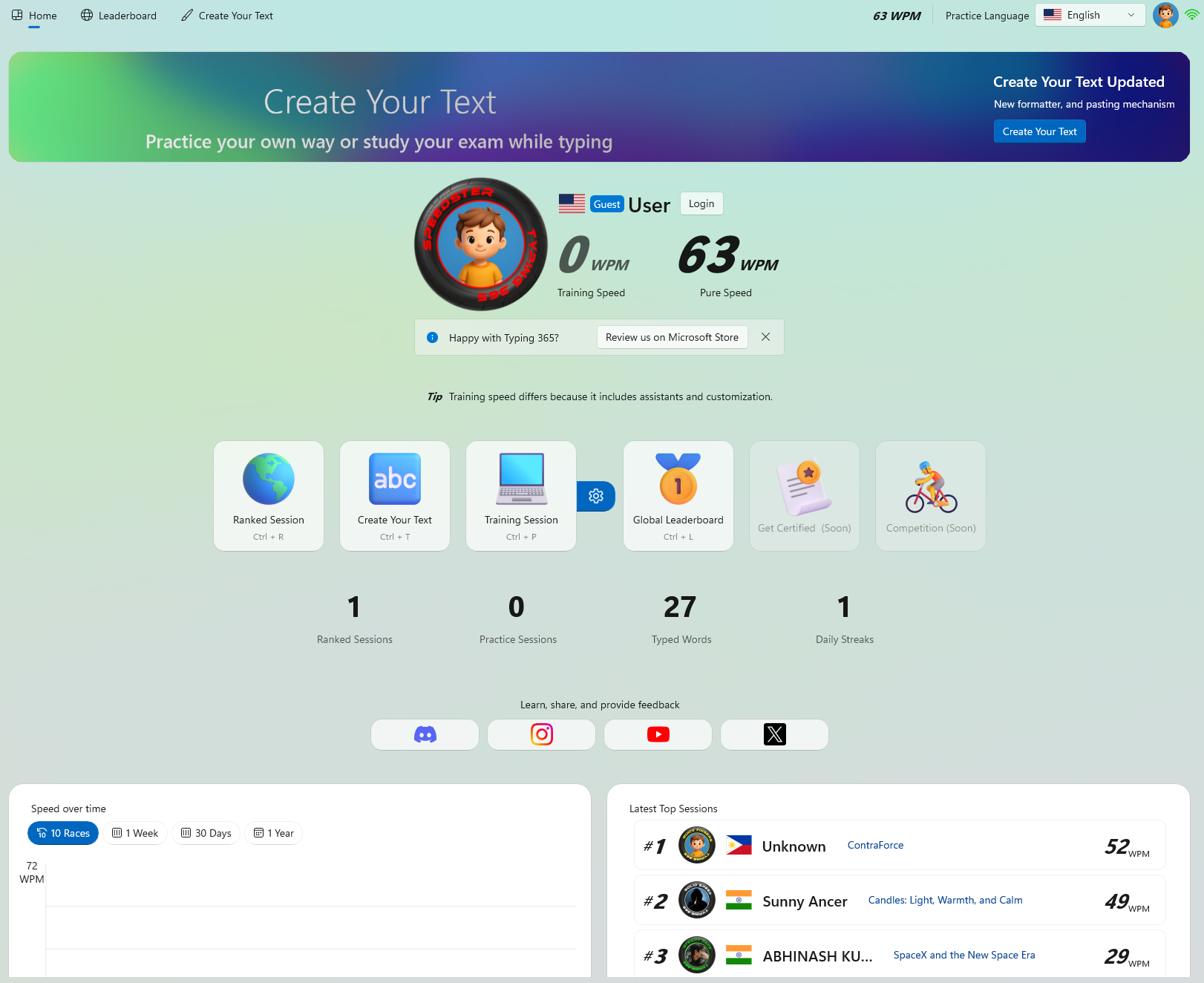
Stats UI
Main UI
Menu UI
Live Rankings

Global Champions

Compete in real-time. Speed is key, accuracy is king.

Library V2.0

Diverse Practice Materials

Improve your speed with our extensive library. From Shakespeare to Python code, master every character on your keyboard.

📚

Classic Literature

Type through timeless masterpieces. Improve flow and rhythm with complex sentence structures.

Dickens, Orwell, Austen
📰

Live News Articles

Stay updated while you practice. Real-time headlines formatted for typing drills.

BBC, CNN, TechCrunch
🎯

Sudden Death

Practice specific words. Focus on difficult keys, n-grams, and muscle memory triggers.

Hard, Expert, Custom
✍️

Custom & AI Text

Paste your own content or let AI generate unique coding snippets, emails, or stories for you.

function generate() {
  return "AI Power";
}
01

Professional Speed Test & Training

Typing 365 is designed exclusively for Windows users who want a sleek, powerful, and distraction-free typing experience. With real-time feedback and a variety of test formats, it's the top choice for typists looking to improve their accuracy and speed.

02

Master Multiple Languages

Whether you want to improve your typing in English, Arabic, Spanish, or other languages, Typing 365 provides rich, localized typing experiences that help you become fluent on any keyboard layout.

03

Advanced Typing Analytics

Gain deep insights into your typing patterns, track every keystroke, and watch your progress evolve with professional-grade statistics and analytics tools built right into the app.

04

Competitive Racing Experience

Forget boring drills — Typing 365 transforms typing into a thrilling experience. Real-time races, live progress tracking, and competitive leaderboards turn every session into an engaging game that keeps you coming back.

05

Data-Driven Improvements

Typing 365 goes beyond basic stats. It gives you actionable insights, highlights your common mistakes, and visualizes performance trends — helping you spot weaknesses and turn them into strengths.

06

Your Personal Typing Coach

Typing 365 isn’t just a typing tool — it’s your personal coach. Learn proper finger positioning, follow on-screen keyboard cues, and train with guided lessons designed to build real skill through smart repetition.

Adaptive Interface

Your Flow, Day & Night

Seamlessly switch between a focused dark environment and a crisp, energetic light mode.

🌙

Midnight Focus

Reduces eye strain with high-contrast neon accents on deep blue surfaces.

Dark Mode
☀️

Crystal Clarity

Airy, clean, and modern. Perfect for bright environments and maximum readability.

Light Mode
The Ultimate Face-off

Typing 365 vs MonkeyType

See why Windows users are switching to the native experience.

Core Features
MonkeyType
Typing 365
Native Windows App
Offline Mode
Verifiable Certificate
Smart Learning & Guidance
System-Level Integration
Competitive Races
Leaderboards
Multilingual Support
Ranked
Goals & Streaks
Live, right now

Watch the world type toward 1,000,000 races

Every few seconds, somewhere on Earth, another race finishes. Watch the global counter climb in real time, country by country, WPM by WPM. Be there when it hits the million.

Open the Live Counter
Questions & Answers

Frequently Asked Questions

Everything you need to know about Typing 365, the free native typing app for Windows.

Is Typing 365 really free?
Yes. Typing 365 is completely free for personal use. Download it from the Microsoft Store, install it on Windows, and start practicing, racing, and tracking your progress. No subscription, no paywalls, no credit card.
What is the live race counter?
The Live Counter is a public, real-time view of every typing race completed across the world in Typing 365. It shows the global total climbing live, the country and WPM of finishing races, and our race toward the first 1,000,000. No personal names, ever, just the worldwide pulse of typing.
How is my typing speed (WPM) measured?
WPM (words per minute) is calculated as the number of standardized 5-character words you type correctly, divided by the time elapsed. Typing 365 also tracks accuracy, consistency, and your most common mistakes so you can see exactly where to improve.
Which languages does Typing 365 support?
You can practice and race in many languages including English, German, Spanish, Russian, Arabic, and more, each with localized texts and native keyboard layouts, plus ranked multilingual leaderboards.
Do I need an internet connection?
No for solo practice. Typing 365 is a native Windows app that runs fast offline. An internet connection is only needed for live races, global leaderboards, and the live counter.
Can I practice with my own texts?
Absolutely. Bring your own content. Import books, articles, notes, or code, or let the built-in AI generate fresh snippets, emails, and stories. It's perfect for studying and memorizing while you build typing speed.
How do I get onto the leaderboard?
Just race. Complete ranked races in your chosen language and your best results are placed on the global leaderboard automatically. Speed gets you noticed, but accuracy is what keeps you at the top.
Is my data and privacy protected?
Yes. The public live counter never exposes who you are. It only ever shows a country flag and a WPM number. For full details, see our Privacy Policy.
Is there a Mac version?
Typing 365 is built natively for Windows today, and a macOS version is on the way. Join us on Discord to be the first to know when it lands.